Product
FrameQuery 1.2.0: Video Search Overhaul
FrameQuery 1.2.0 overhauls video search: natural-language queries return far more relevant results, results arrive as one ranked list, and there are new color, codec, camera and lens filters.
FrameQuery 1.2.0 is out. If you have ever typed a description of a shot into the search bar and the results back were not quite right, that was not your library. Natural-language search would sometimes break in earlier builds, and this release is a big step up in how relevant your results are. There is also color, codec, camera and lens filtering, and search now returns one ranked list instead of rearranging itself while you read. The dashboard has had a tidy-up as well, with some fun stats about your own footage thrown in.
What's new in 1.2.0
- Natural-language search is far more relevant. Describe a shot and you get the shot.
- One ranked list. All four search sources are ranked together, so results stop rearranging themselves a second after they land.
- A badge for every source that found a result. A scene matched on screen, spoken and meaning now carries all three badges instead of one.
- Color search. Pick colors from a swatch grid, or type
color:teal. Tone and intensity too. - Codec, resolution, camera and lens filters, with counts pulled from your own library.
- Duration and date filters that actually narrow the search. Ask for clips over five minutes and you get them.
- Real capture dates, read from the file, so they survive being copied off the card.
- Scans keep the camera metadata they read. Codec, container, camera, lens and file hashes were all being thrown away.
- Find Similar Scenes is stricter. Two wide eye-level shots are no longer "similar" purely because they are both wide and eye-level.
- Face and voice templates are actually deleted when the 365-day retention window closes.
- Deleting footage frees up disk space again.
- Your existing library repairs itself in the background, with progress at the bottom of the window and nothing to re-scan.
- A friendlier dashboard. A bit more functional, a bit easier on the eye, and some fun stats about your library.
Describe the shot and get the shot
Type "trophy lift" or "empty corridor at night" and you should get those shots back. Before this release the results were often not quite right, and sometimes nothing came back at all. A thin set of results looks a lot like a thin library, so there was never much reason to think anything was wrong.
Seven separate bugs, stacked on top of each other. Fixing one only got us far enough to hit the next. The model that reads your footage was only ever loaded by the indexing code, so if you opened the app and went straight to search without processing anything, search looked for a model that was not there and came back empty without complaining. The similarity thresholds were left over from a different model and threw away nearly every candidate before it ever reached your results.
The one that hurt most was subtler. We were feeding the text half of the model input that the image half had never been trained against. On a small test set, matching frames to their own descriptions went from 8.3% to 100% once we corrected it. 8.3% is what you get by guessing.
So you can now type what you remember about a shot instead of what you named it, and it turns up in semantic search results next to transcript and filename matches.
One ranked list instead of a reshuffle
Search used to show keyword matches straight away, then re-sort the whole page when the AI results arrived a moment later. If you used it, you noticed. The result you were reaching for moved, and your scroll position jumped. The app now waits for all four sources and hands back one list, once.
We also stopped guessing at how those sources should be weighted against each other. We judged 1,034 results across 128 real queries by hand, then swept 286 different weightings against those judgements. Using all four together beat the best single source by 27%. Almost six in ten relevant results were found by more than one source, which is really the whole argument for combining them. The weighting we had been shipping scored worse than weighting everything equally, which was a humbling thing to learn.
Cards have always shown why a result matched. What is new is that they now show every reason, not just one. A scene that turned up in the visual index and was backed up by what was said carries both badges, and a match found three ways carries three. That is a stronger match than one found a single way, and it finally looks like it. The match percentage is relative to the best hit on the page. Before, anything found by only one source showed no percentage at all, which read as "we are not confident" when it meant nothing of the sort.
One trade-off. Nothing appears until every source is done, so the first search after opening the app takes a beat longer than it used to. We start loading the model the moment you click into the search box, which covers most of that.
Filter by color, codec, camera and lens
There is a color swatch grid in the filter panel now, with tone (dark, mid, light) and intensity (muted or vivid) underneath it. The same filters work typed: color:teal, tone:dark. Both routes run identical code, so they cannot drift apart.
The "dominant color only" checkbox is worth knowing about. In our test library brown appears somewhere in 45.6% of scenes but leads only 14.8% of them, so a broad color filter without that box ticked barely narrows anything. And to be straight about what this does: it finds shots where a color appears, not shots graded that color. Searching video by color goes into why that difference matters.
Codec, resolution, camera and lens are in the panel too, each option with a count beside it, built from your library rather than a fixed list. You will never be offered ProRes RAW if you have never shot it. These filters have worked for a while, but you had to know to type them and nothing documented them, which is not far off not having them at all.
Duration and date now filter the search instead of the results. The old behaviour was to fetch the best matches and then drop the ones that did not fit, so asking for clips over five minutes handed you whichever of the top matches happened to be long. Usually almost none, on a library full of them. Both are applied properly now, along with date, duration and resolution filtering in general. Related: res:4k used to return your 6K and 8K footage as well, because it had no upper bound. The bands no longer overlap, and 6K is res:6k.
Shoot dates, camera metadata and disk space
Every scan probes the file and works out the codec, the container, the camera metadata and three file hashes. Then it threw all of that away before saving. Nine of the fifteen fields we read were empty on every row in the database. That is why the codec filter had nothing to match, why camera:, lens: and iso: never hit anything, and why duplicate detection has quietly been falling back to comparing file sizes.
New scans keep the lot, and the clips already in your library are filled in for you in the background. It reads the file header only, so there is no decoding and no quota, and an offline drive costs one batch rather than a retry loop. This had to be automatic rather than a re-scan: scans skip files already in your library, so re-scanning a folder would never have reached those rows.
Capture dates come out of the same pass, from the file's own metadata rather than the filesystem, so they survive an offload instead of turning a whole shoot into the date you copied it. We do not take the file's word for it either. A camera with a flat clock battery writes a date years in the future, and a .mov whose creation time was never set reports 1904. Anything that cannot be true gets rejected and we fall back to the file timestamp exactly as before, so this can only improve a date, never lose one. R3D, BRAW and ARRI clips still use the file timestamp for now; their own SDKs hold the real answer and that is a separate job.
On retention: the 365-day biometric purge was deleting the person record and leaving the face and voice templates sitting there, which is precisely the data the policy exists for. It clears the templates first and the record second now. The clock also runs from the last time someone appeared in your results rather than from when they were first enrolled, so a person you find every week no longer gets deleted on their first anniversary. Face and voice processing still happens entirely on your machine, as covered in how people matching works.
And deleting a video used to leave its index data on disk forever, because nothing ever compacted the index. There is a sweep for that now.
A friendlier dashboard
The dashboard is a bit more functional and a bit easier on the eye. The centrepiece is one running total of your library, with the share that is processed and searchable filled in underneath, so the gap between the two lines is your backlog at a glance. There is a sky behind it that follows the app theme, and new panels for what you shot on, your mix of shot sizes and which drive a month of work actually came off.
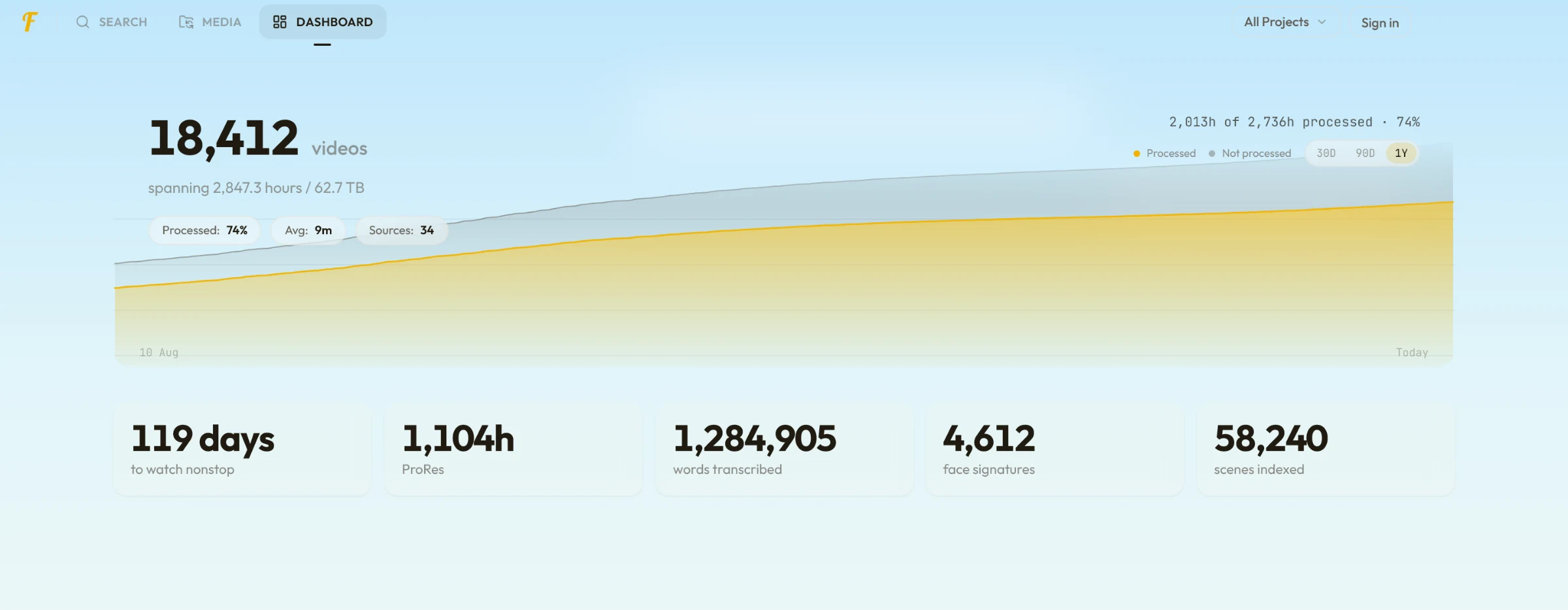
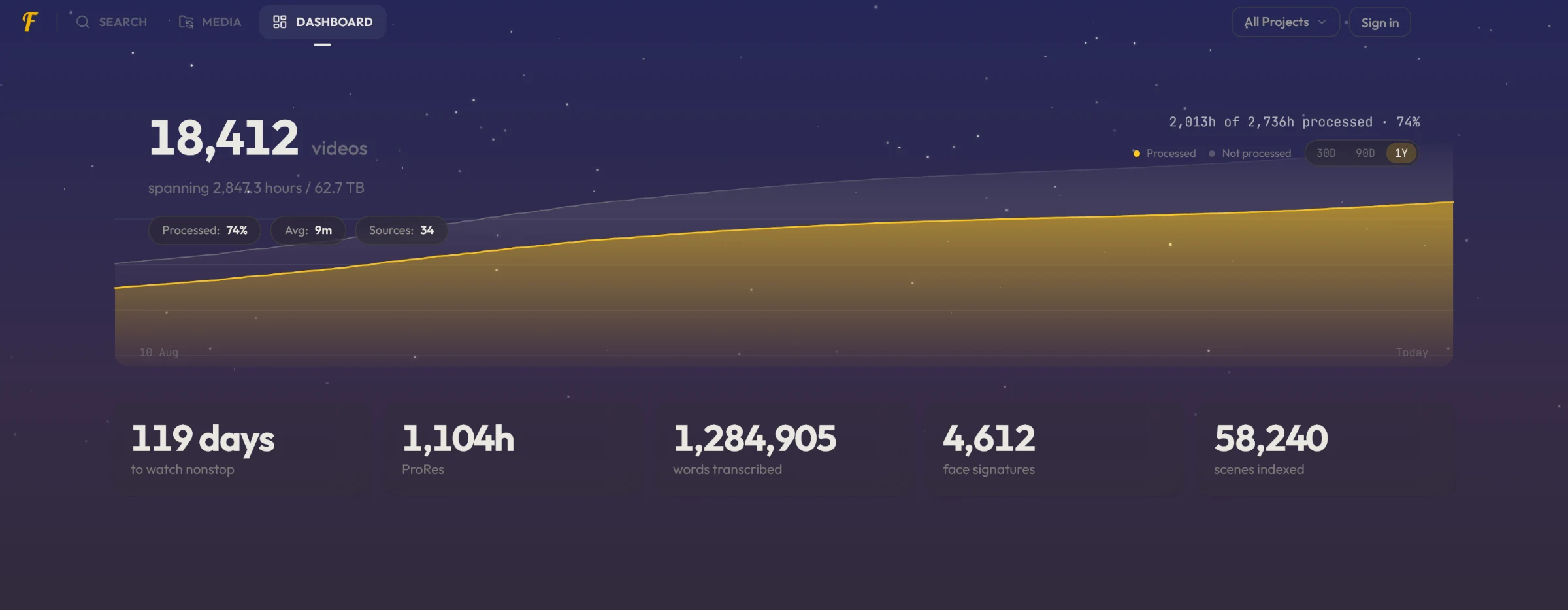
We also added some fun stats for everyone: how many days it would take to watch your library end to end without sleeping, hours by codec, words transcribed, scenes indexed, and how many distinct faces are in there. Those are face signatures rather than a headcount — one person across ten clips can still count ten times — and the shot sizes are a model reading the frame rather than anything logged on set.
What's fixed
- Excluding a word with
-wordwould often do nothing, leaving the term you asked to drop in your results - Quoted phrases found nothing when searching a shared index you subscribe to
- Searching on a duration filter alone, with no text, returned nothing
- Picking a codec in the panel and then typing any
field:valueterm silently dropped the codec - Scene colors were missing entirely for anyone subscribed to a shared index
- Object matches were labelled as filename matches, so they looked like they had never matched
shot:,angle:,all:and the new color filters are now listed in the syntax help, in all four languages- Find Similar Scenes returned shots that only shared framing. A basketball court came back as similar to a gym. It is quicker now as well, around 12 ms a lookup instead of a scan that grew with your library
- Someone's tile in People could show a different person's face, where several faces were detected in the same scene
- Every face tile could go blank at once after a single hiccup loading them, and stay blank until you left the tab
- The moderation panel drew nothing when it could not reach the service, so "we could not check" and "nothing of yours was flagged" looked identical
- Searching no longer writes to the encrypted face database on every keystroke
How to update
FrameQuery updates itself. Your library, projects, tags, collections and people are left alone, and there is nothing to re-scan.
Everything here reaches the footage you have already processed, and the app sorts out what it needs on its own. The search index rebuilds itself on first launch, which is what brings color search to your existing scenes.
Two repairs then run quietly in the background, starting a minute after launch. The first covers footage processed before description search worked at all, which has frames on disk and nothing indexed from them; that is the one that can take a while, from a couple of minutes to a few hours depending on how much of your library it covers. The camera metadata follows it. Both work from files already on your machine, neither uses any quota, and progress for whichever is running shows at the bottom of the window. You can stop the long one from there whenever you like — everything already built is kept, and it picks up where it stopped rather than starting over.
FrameQuery 1.2.0 runs on Windows and Apple Silicon. See supported formats and systems, or download the latest build.